Open source
Daily Creative Spark
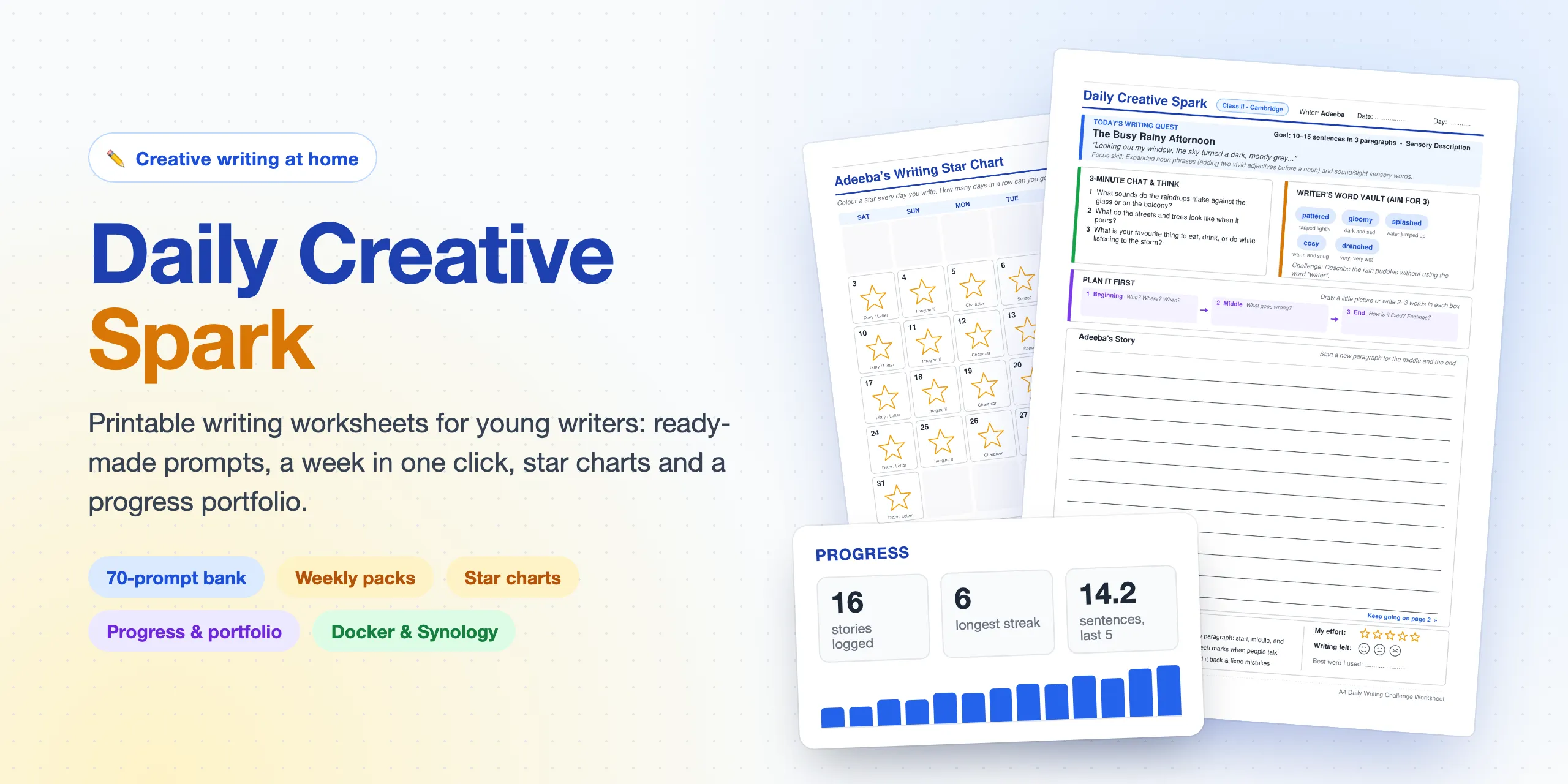
Printable creative-writing worksheets for a young writer, with ready-made prompts, weekly packs, star charts and a progress portfolio.
- Runs on
- Docker · Synology NAS
- Built with
- Python · Flask
- Output
- Print-ready A4 PDFs
- Pitched at
- Ages 8–9
What it is
Daily Creative Spark is a small home web app that turns a writing prompt into a print-ready creative-writing worksheet, and keeps track of how the writer is getting on. It’s set up for an eight-year-old following the Cambridge Primary English curriculum (Stage 3) in Dhaka, but the name, class, goal and prompts are all configurable.
It runs in Docker on a Synology NAS and is used from a laptop or phone on the home network.
What it does
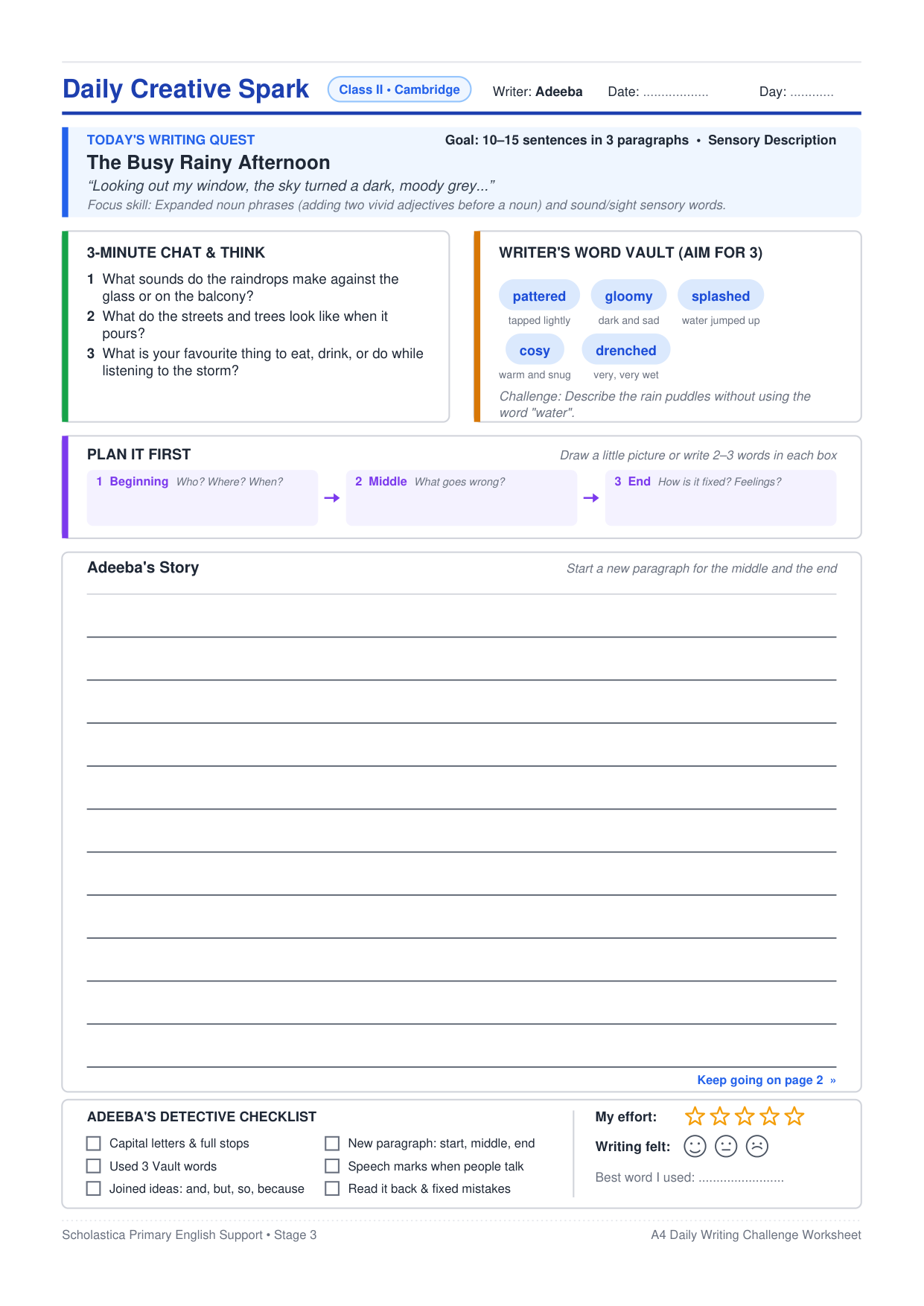
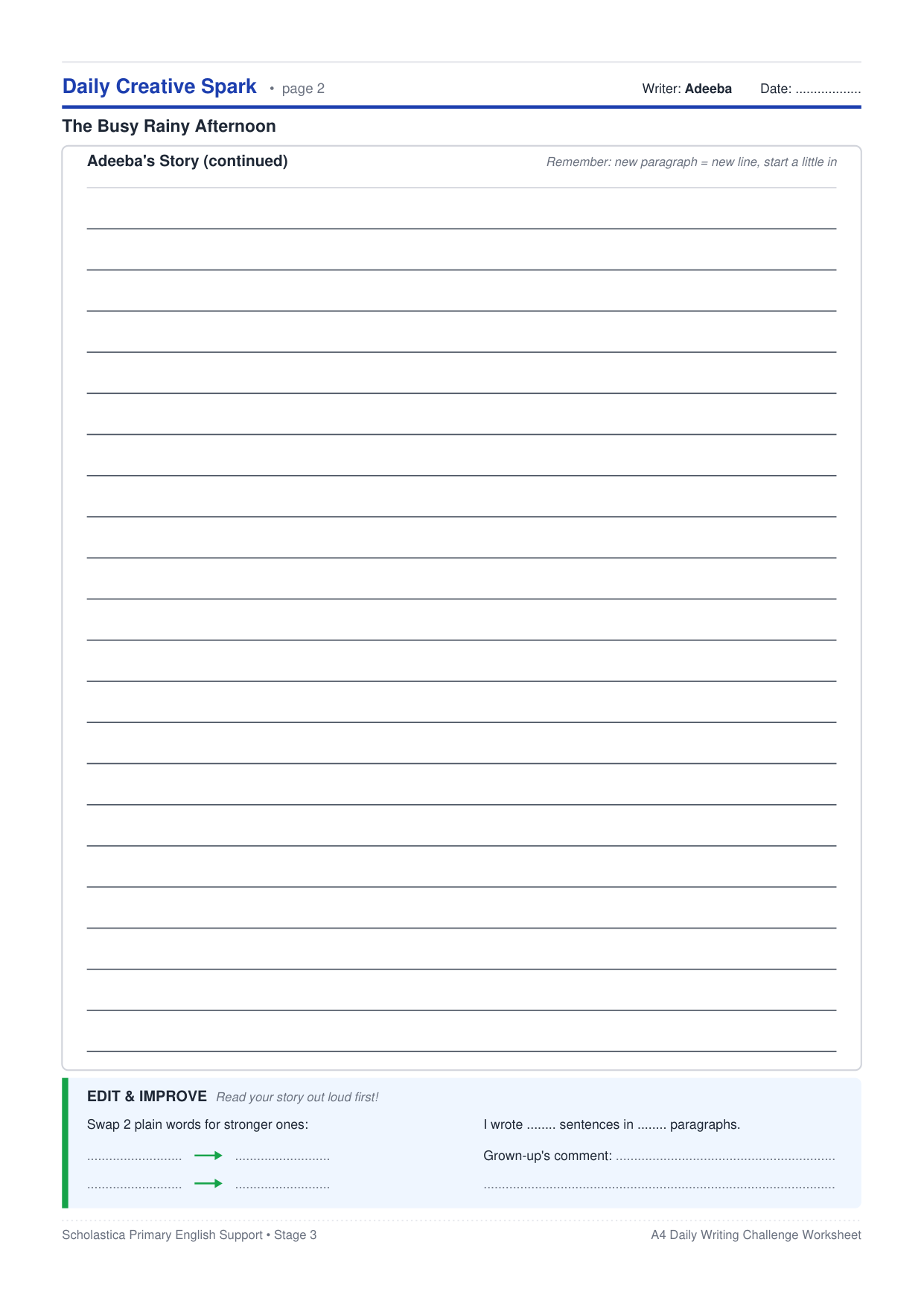
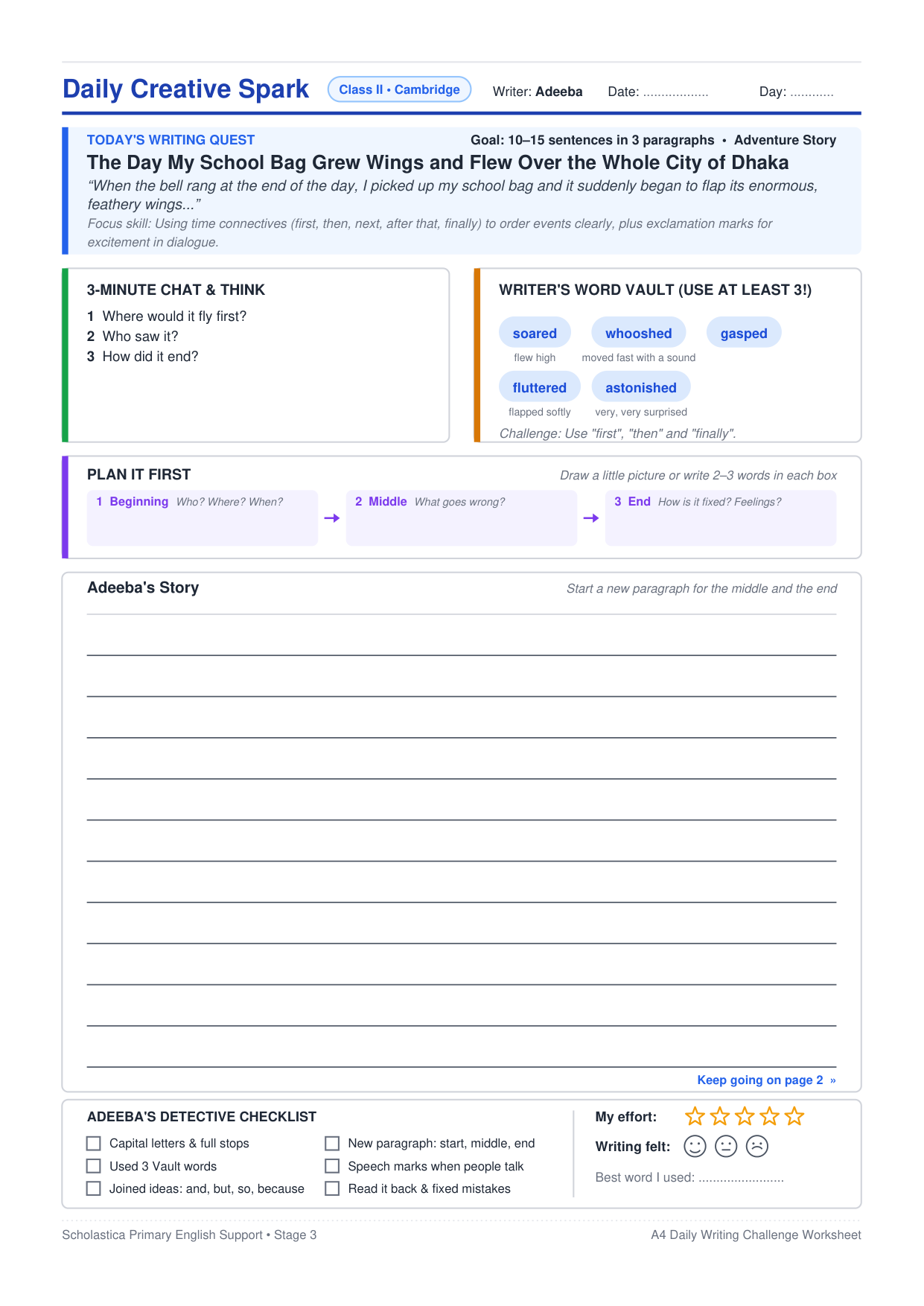
- Two-page A4 worksheets. A writing quest, chat questions, a Word Vault with child-friendly meanings, a Plan it first strip, lined writing space, a Stage 3 checklist, and stars and faces to colour in.
- Prompts without the effort. A built-in bank of 70 prompts (ten weeks’ worth, free and offline), or a fresh one from Gemini or Claude. Each weekday practises a different skill, from character descriptions and dialogue to diaries and “Imagine if…” stories.
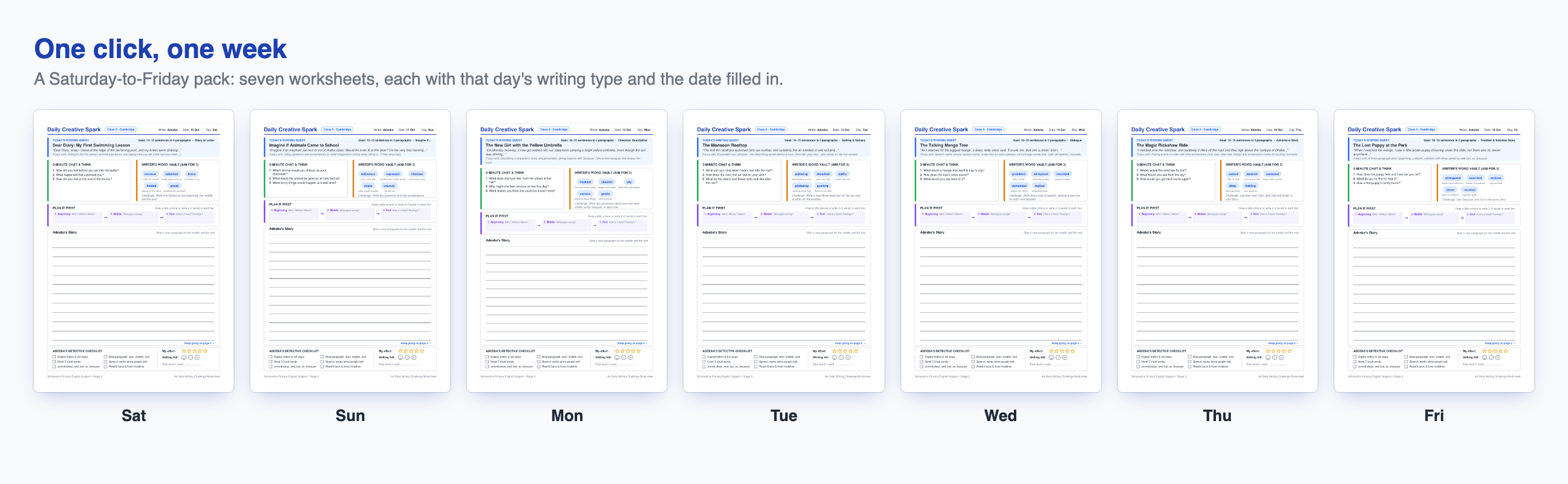
- A whole week in one click. One PDF with seven worksheets and the dates filled in, ready to print double-sided.
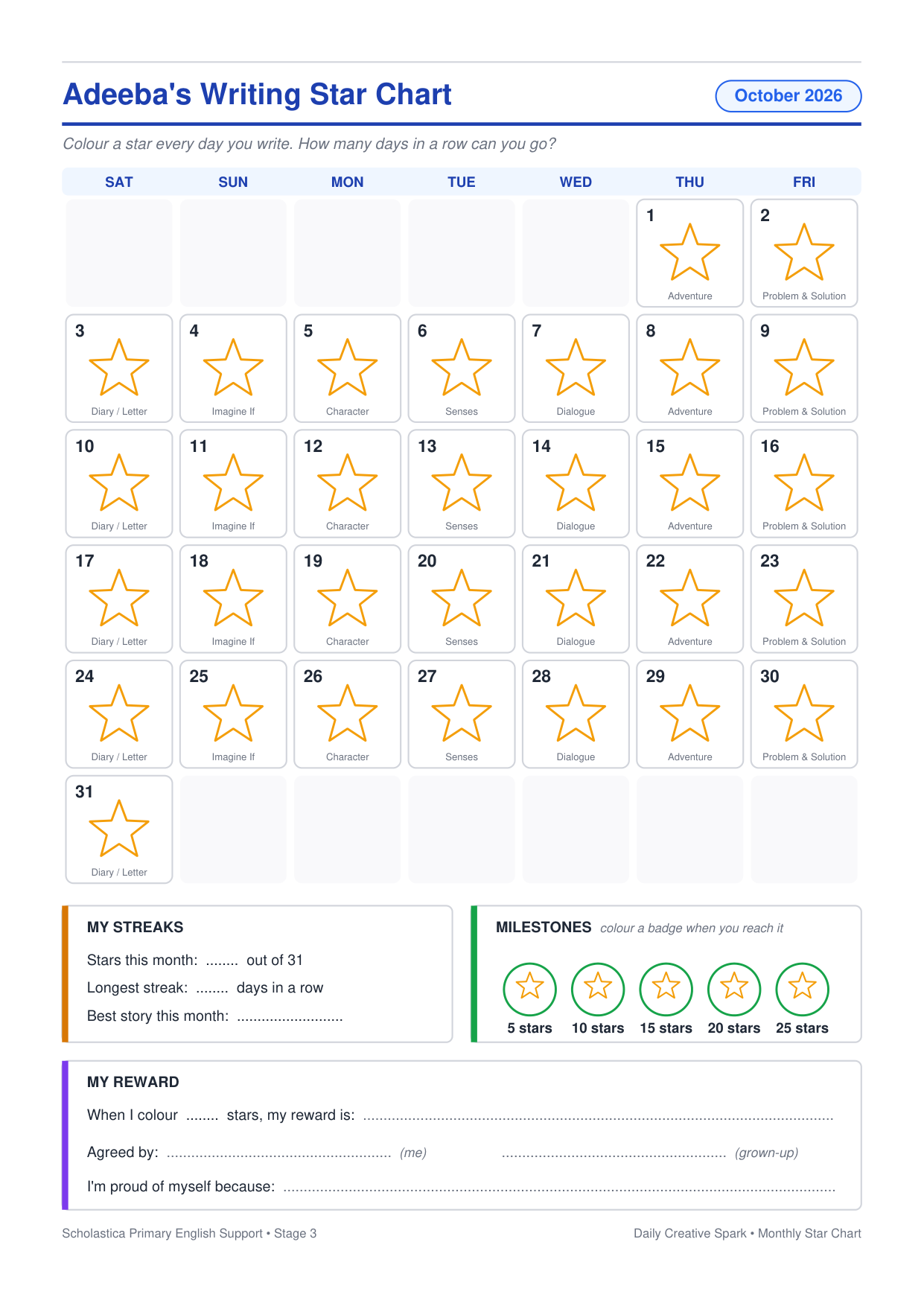
- A monthly star chart to colour in, with streaks, milestones and a reward.
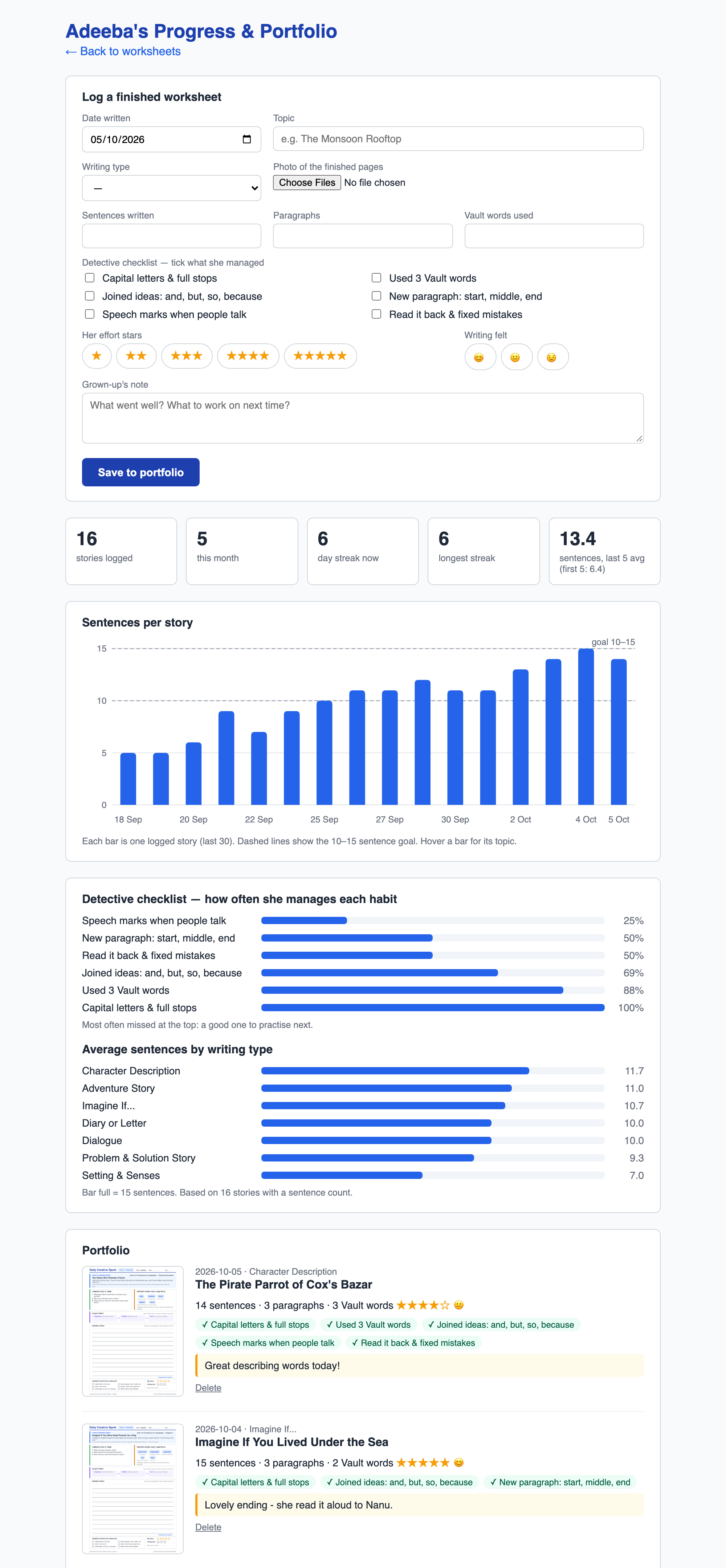
- Progress and portfolio. Log each finished sheet with a photo, and see streaks, a sentences-per-story chart and which writing habits need practice.
The prompts mix everyday Bangladeshi life with fantasy and adventure: Nanu’s kitchen, a Sylhet tea garden and the Shakrain kite festival sit alongside a talking mango tree and a picnic on the Moon.
How it’s built
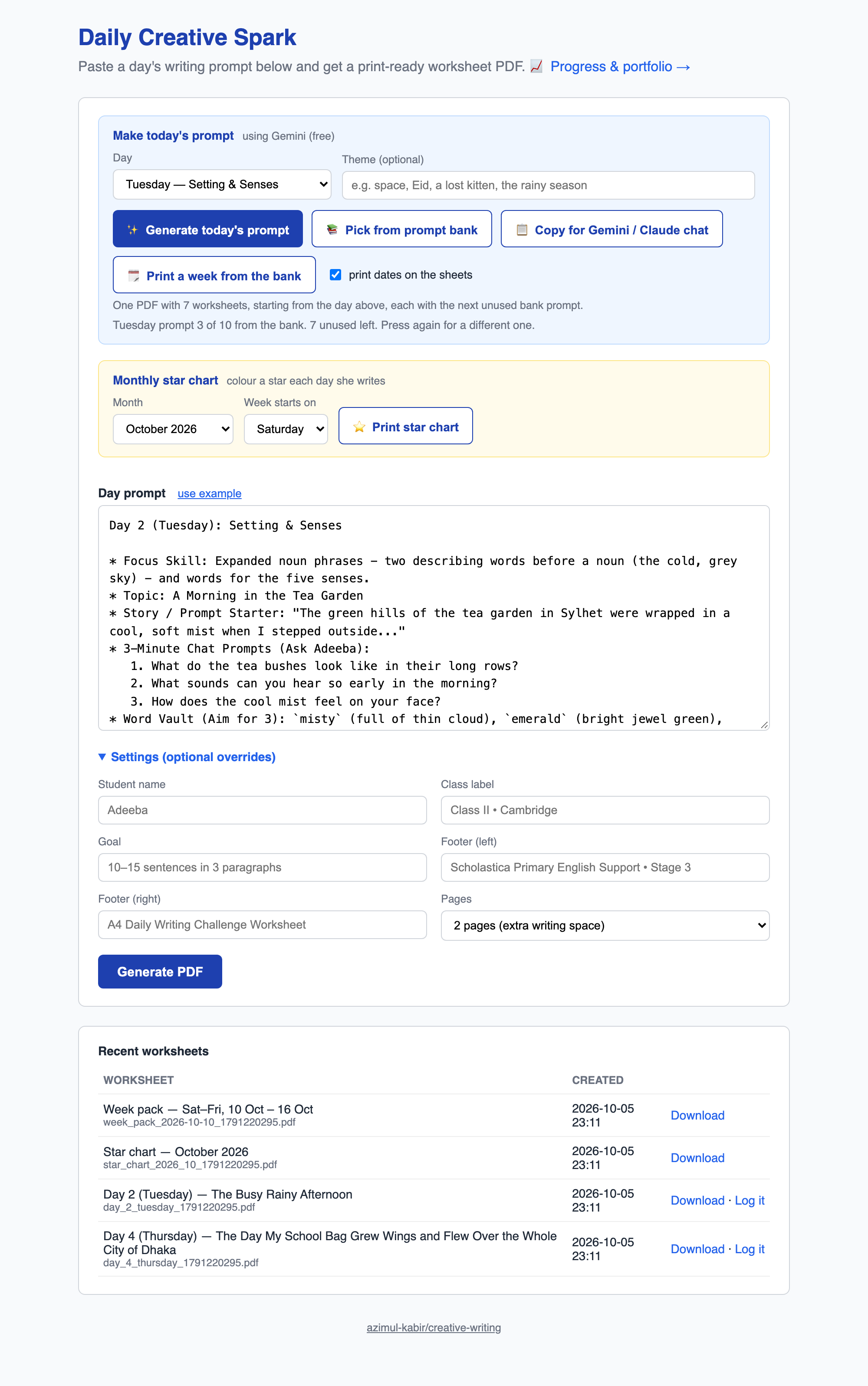
A Flask app with a single-page form, a PDF drawing engine that also runs from the command line, and a JSON prompt bank that remembers which prompts have been used. Prompt generation runs in the background so a slow model reply isn’t cut off, and the requests sent to Gemini or Claude never include the child’s name or school; the name is only added on the NAS.
Screenshots
The web app
What gets printed